Channel attribution
Find the last real touchpoint and report each conversion back to exactly one channel.
Learn more →Conversion tracking, A/B tests, feedback & surveys
usertrax brings tracking, attribution, A/B testing, and user feedback together in one simple platform – quick to set up, easy to understand, and free from cookie chaos.
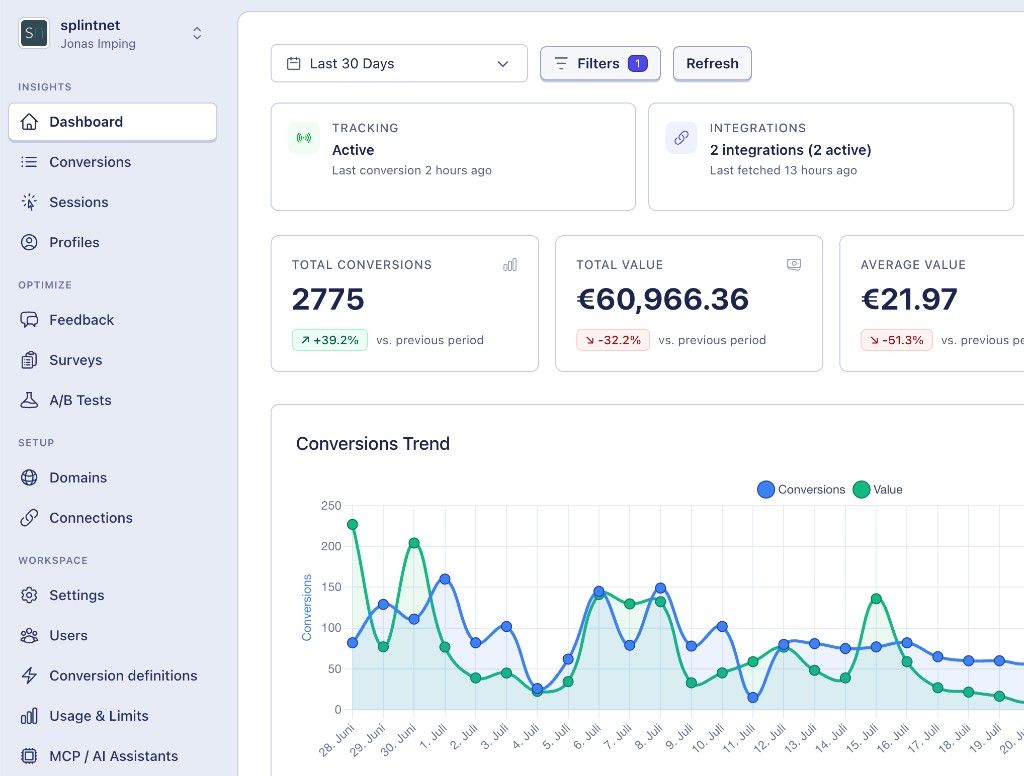
Automatic export & attribution for every channel
Built for developers
Powerful analytics that give you actionable insights.
See all features →Find the last real touchpoint and report each conversion back to exactly one channel.
Learn more →Test variants against orders and revenue — not against button clicks.
Learn more →Offline conversions back into Google, Meta, Microsoft, and affiliate networks.
Learn more →NPS, free text and multiple choice — as a triggered popup or inline in content.
Learn more →usertrax gives us the insights we need — clear, measurable, and without cookie chaos.
That's not a bug. It's how the platforms work: every channel that touched the customer at any point claims the conversion for itself.
What your ad accounts report
What actually happened
50
real orders
90% hot air in your numbers
In commissions
Your affiliate network collects for customers Google brought in.
In budget
Smart Bidding optimises against made-up numbers – and pushes money into the wrong channel.
usertrax sits between your website and your ad accounts and decides who owns the conversion.
Drop the script into your head tag. Done. No tag manager project, no configuration.
usertrax follows every visitor across all touchpoints and identifies the last real click before the conversion.
The conversion is reported back to that single channel – server-side, automatically, via offline conversion import.
The result: your ad accounts show numbers that match your actual revenue again. And your affiliate only earns commission when it actually earned it.
Three effects you'll see in your next monthly close.
Affiliate networks only get paid when they really were the last touchpoint. At 8% commission and 50 orders a month, that adds up to a multiple of what the tool costs.
Google and Meta optimise only as well as the conversions they can see. Cookie banners and iOS swallow a chunk of them. usertrax reports them back server-side – including the ones that only close days later in your CRM.
One report showing which channel actually delivers. Instead of four reports that contradict each other.
usertrax replaces attribution, A/B testing, feedback and surveys. From €29 a month – together, less than any one of them costs alone.
usertrax is a young tool. So instead of invented customer logos, here's what's actually true.
No US corporation. Get your DPA straight from the dashboard.
usertrax works with first-party data and server-side matching — without tracking cookies.
CSV and API export in every plan, cancel monthly. You can leave any time – we'll work to make sure you don't want to.
Support comes straight from the founder. Usually the same day.
I built usertrax because at some point I couldn't tell which channel was actually delivering in my own campaigns. If you have the same question: just write to me.

Learn how to analyze A/B tests correctly — sample size, statistical significance, data quality, and effect sizes — before rolling out winning variants.

Learn how A/B testing works for websites and SaaS apps. Covers hypotheses, setup, common mistakes, tools, and how to measure real conversions — not just clicks.

Learn how to run A/B tests in SaaS products — feature flags, onboarding flows, statistical analysis, and rollout, with practical examples for product teams.
The essential answers about results, setup, and pricing.
You'll see which channels actually drive conversions, where your ad accounts count the same result twice, and which revenue belongs to each touchpoint. That lets you base budgets and commissions on real outcomes instead of conflicting platform reports.
Add the lightweight script and define when a conversion counts. You can do that with JavaScript or from your server through the API. A typical shop setup usually takes less than 30 minutes.
Yes, if you can add JavaScript. Shopify, WooCommerce, Shopware, Webflow, WordPress, and custom-built websites can all connect. Report conversions in the browser or directly from your backend.
No, and that's deliberate. GA4 shows you what happens on your website. usertrax shows you which paid channel drove the conversion and reports it back there. You can run both systems side by side.
Report a conversion later through the API or a CSV – for example when a lead becomes a deal in your CRM. usertrax assigns it to the appropriate channel and sends it back to the ad account, including revenue.
Plans start at €29 per month and include attribution, A/B testing, feedback, and surveys. Try it for 14 days without a credit card, pay no setup fee, and cancel monthly.
faq.questions.6.answer
Start without a credit card – or ask the founder your remaining question directly.
Drop in the script, let it run for two weeks, look at the report. If the number doesn't surprise you, you've lost nothing.
No credit card · 5-minute setup · Cancel monthly